Your offline knowledge library

The internet's best knowledge. Even offline.

Wikipedia, how-to guides, official health and government manuals and an offline map of the whole world with every street in North America, all on your own device with no internet. Plus a step-by-step way to get your household prepared.

Sound familiar?

Getting prepared shouldn't feel this hard.

01

When the power goes out, the internet goes with it.

And so does everything you would normally look up.

02

Cell service can drop too.

No bars, no maps, no search, right when you need them.

03

Most households don't have a plan.

What to keep at home, who to call, where to meet. Nobody tells you where to start.

Meet Pocket Vault

One library. Everything in one place.

Download it once, put it on a USB stick, open one file on your laptop. It runs on battery, with no internet and no signal.

Power out. No internet. Still works.

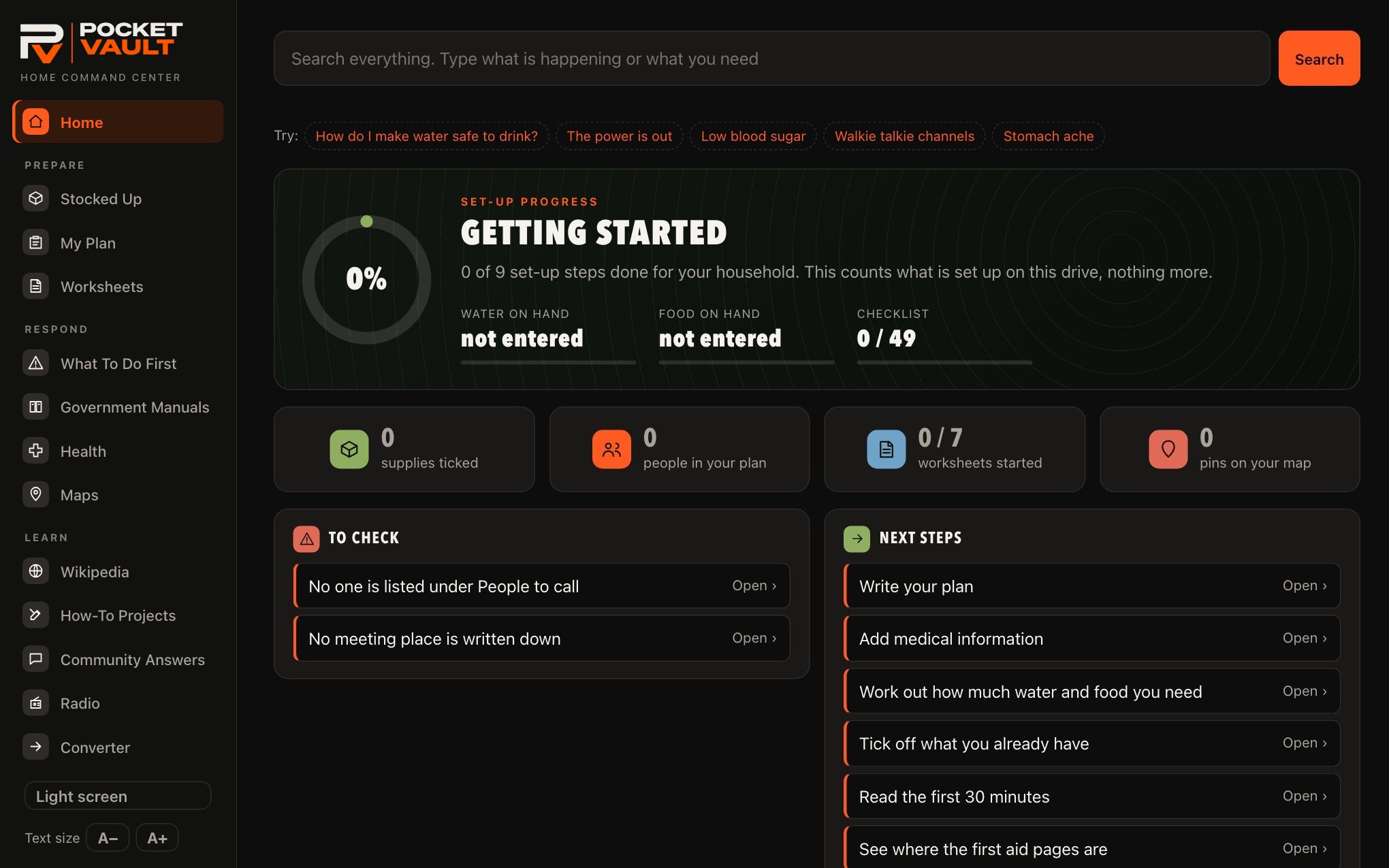
The home screen of Pocket Vault, showing a search box, set-up progress and next steps

The real home screen. One search box looks through everything, and Home tells you the next step.

Part 1 · Get prepared

We walk you through it.

No guessing. Home shows your set-up progress and the next thing to do, one step at a time.

Where do I start?

A guided set-up for your household

Nine set-up steps with a progress ring. Each next step opens the right page.

What should we have?

Know what to keep at home

A 49-item checklist, a first aid kit list and a calculator for how much water and food your family needs.

Who do we call?

A plan everyone can follow

People to call, where to meet and a radio check-in plan, saved on your device and ready to print.

A glimpse inside: Worksheets

Your household, written down.

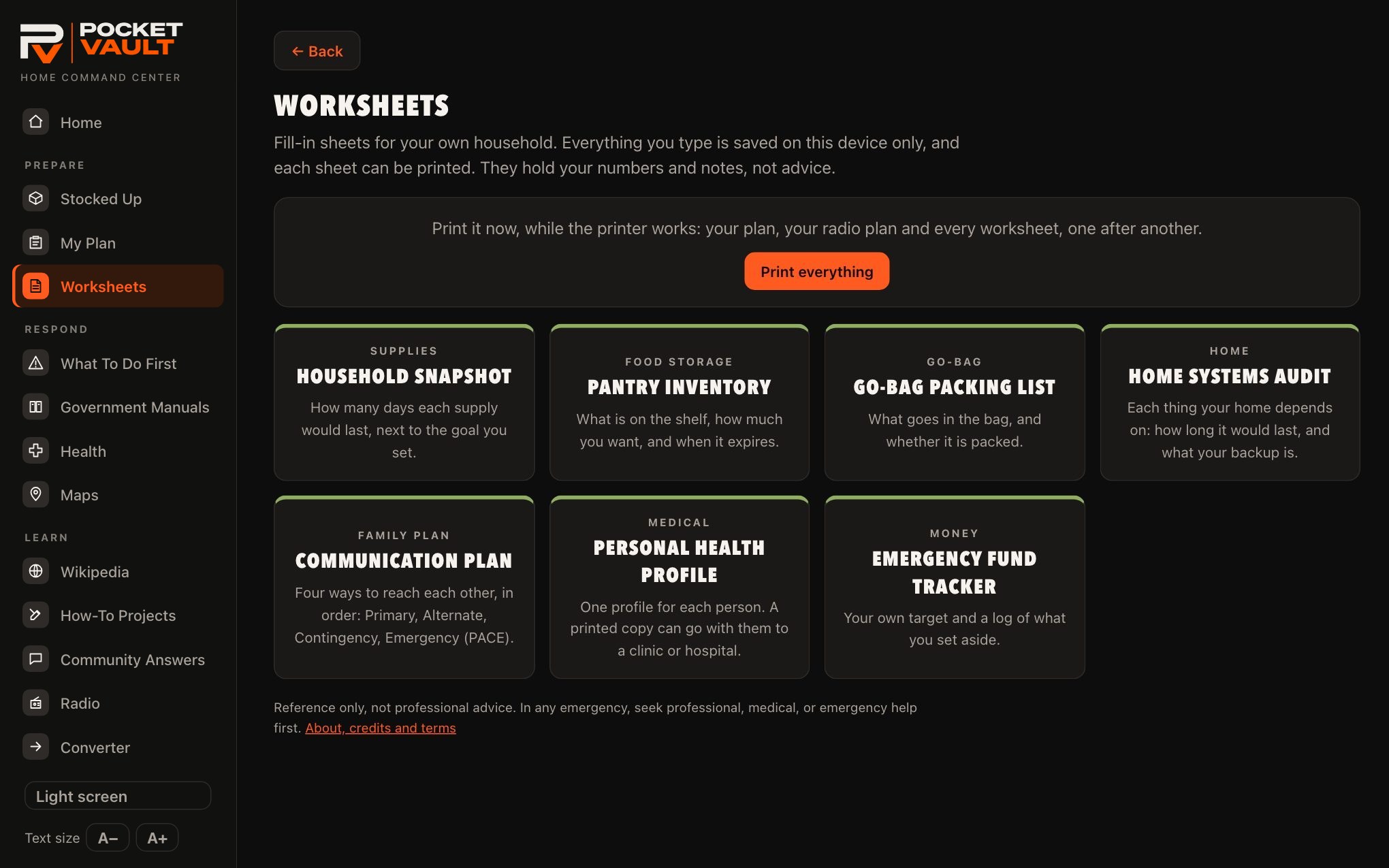
Seven fill-in sheets, each with examples, turn "we should really get organized" into something you can finish this weekend. Every sheet prints.

  • Household snapshot and pantry inventory
  • Go-bag packing list and home systems audit
  • Family communication plan
  • Personal health profile for each person
  • Emergency fund tracker
The Worksheets tab, showing seven fill-in sheets and a Print everything button
Part 2 · And the internet comes with you

The internet's most useful knowledge. Offline.

Not just a checklist. A whole library you can search with no Wi-Fi and no signal.

8M+

Wikipedia

All of English Wikipedia, every article, text only. A June 2026 copy you can read with no internet.

13,000+

How-To Projects

Hands-on pages from Appropedia and whole Wikibooks guides, including the full Cookbook. About 7,500 with pictures.

Every street

The United States, mapped offline

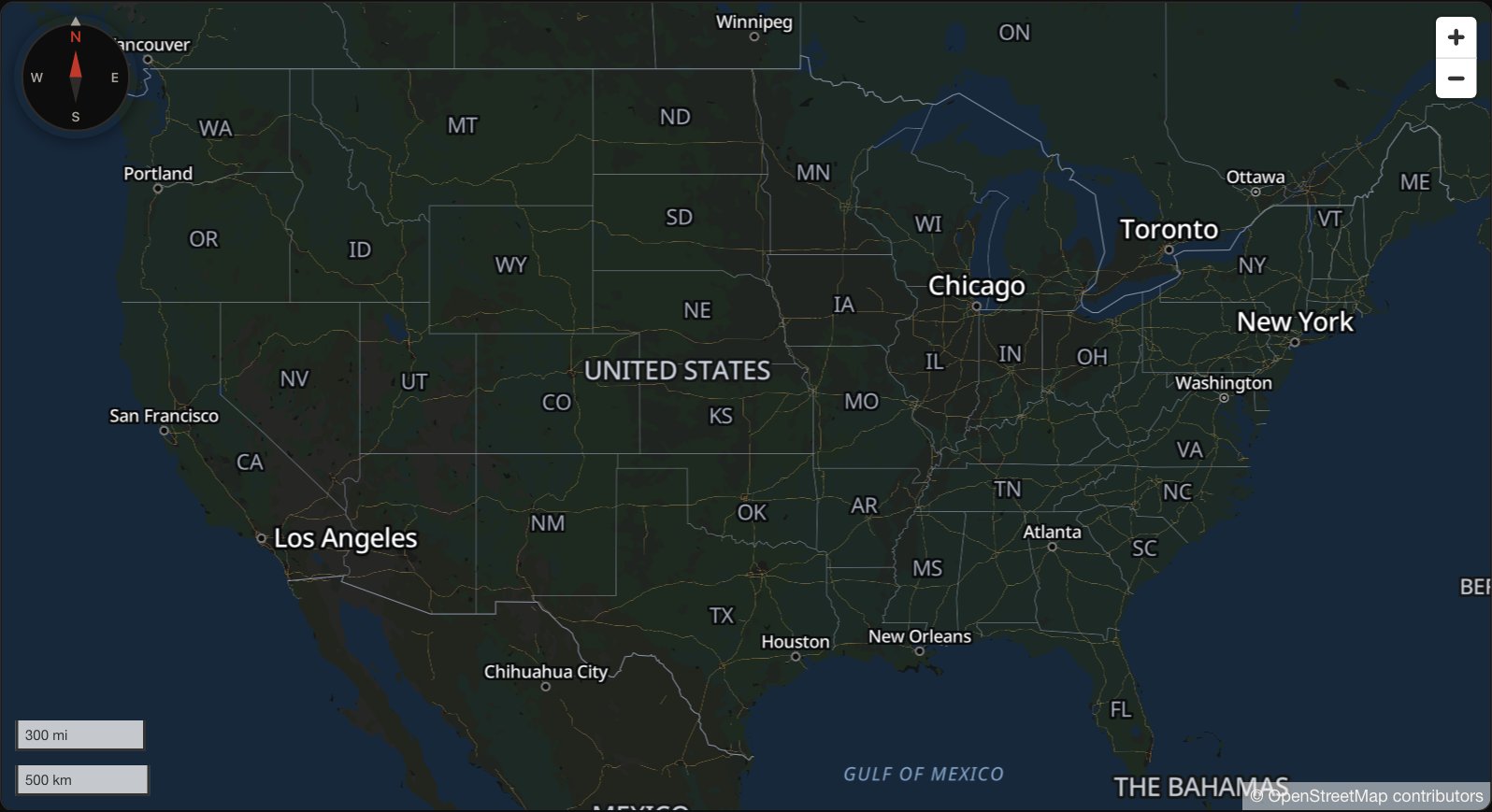
A detailed street map of the entire United States, plus the rest of North America and a map of the whole world. Hospitals, police and fire stations, a compass and distances in miles or km.

The offline map showing the whole United States with state names and major cities
19,313

Community Answers

Real questions with top-voted answers from 11 Q&A communities: home repair, cars, bikes, gardening, cooking, ham radio and more.

1,017

Health

Official health topics, 90 official FDA medicine labels, first aid books and a medical encyclopedia with pictures.

~145

Government Manuals

Whole US government books, shown exactly as published.

+

When the signal's gone

The reference is already on your device.

The first 30 minutes

What to do first

Short steps in time order: water first, then safety, then protecting what you have.

Health questions

Official health information

Health topics, medicine labels and first aid books. For anything serious, call 911 or get medical help first.

Finding your way

A map that still works

Find a hospital or fire station and see how far it is and which way to go.

Wikipedia, Appropedia, Wikibooks, Community Answers and map data are written by volunteers and are not verified. Not affiliated with or endorsed by any of these projects or by any government agency.

See it for yourself

The actual screens.

No mock-ups. Every tab works without typing: tap a topic tile, or search in your own words.

8.6 million+pages on the drive, searchable from one box

Home: one search box for everything, your set-up progress and what to do next.

Screenshot of the library
How it works

Internet once. Offline for good.

The only time you need internet is to download it. After that it opens with no Wi-Fi and no signal, on your laptop.

01

Download it once

After you buy, download the library while you have internet. Take all of it (about 89 GB), or start with the 3 GB Core pack and add the packs you want.

02

Copy it to your stick

Copy the library onto your own USB stick. The full library needs 128 GB or larger. Now it goes where you go.

03

Open one file, anytime

Open "Open Pocket Vault" on your laptop. It runs in the web browser you already have, with nothing to install.

Works on laptops and desktopsNothing to installNo accountDark screens to save battery

Short on space? Take only what you need.

The library comes as one full download or as separate packs. One price covers all of them. Start with Core, then add the packs you have room for.

CoreOpens by itself. Government manuals, health topics, how-to projects, checklists, worksheets, radio guide and converter.3 GB
Medical encyclopediaAdds the medical encyclopedia to the Health section.2 GB
Community AnswersAdds questions and answers on home repair, cars, gardening, cooking and more.4 GB
North America mapAdds the offline map, with every street in North America.18 GB
World mapAdds the rest of the world to the map. Needs the North America map pack.18 GB
WikipediaAdds all of English Wikipedia, text only.43 GB
Yours, privately

Nothing leaves your device.

Private

Your plan, contacts and checklists stay on your own device. Nothing you type is sent anywhere.

No internet

Works with no Wi-Fi and no cell service. Nothing to sign into and nothing to update before you can use it.

Easy on battery

Built with low power use in mind: dark screens by default, no internet, nothing running in the background.

Straight answers

What this is, and what it isn't.

A reference library

It is a preparedness and education reference you read. It is not a person, a doctor or an emergency service, and it does not give advice.

Official sources, as published

Government books and health pages are shown the way the agencies published them. No agency made or endorses this product.

Volunteer content is marked

Wikipedia, How-To Projects, Community Answers and map data are written by volunteers and are not verified.

A snapshot in time

Each collection is a copy from a stated date. Places on the map may have moved or closed.

In an emergency, call 911 (or your local emergency number) or get professional help first.

FAQ

Questions.

Do I need internet to use it?

Only once, to download it. After that it works with no Wi-Fi and no cell service.

What devices does it work on?

Laptops and desktop computers. It opens in the web browser you already have, with nothing to install. Phones are not supported yet.

Will it work on my phone?

Not yet. We are testing phone use with a USB stick. If it passes our tests, we will announce it here. Please buy only if a laptop or desktop computer works for you today.

Will it drain my battery?

It was built with low power use and battery preservation in mind: dark screens by default, it never uses the internet, and nothing runs in the background. For the longest battery life, turn your screen brightness down and close other apps while you read.

How can I keep my laptop charged without power?

It's smart to have more than one way. Options many households keep include a solar battery bank, a portable power station with a folding solar panel, a car charger or a plug-in adapter for the car, a hand-crank charger, and a few extra battery banks kept fully charged. Follow each product's own safety instructions, and never run a generator or fuel-burning device indoors.

How big a USB stick do I need?

The full library is about 89 GB, so it needs a USB stick of 128 GB or larger. Short on space? The Core pack is about 3 GB and opens by itself, and every other pack is optional.

Do I have to download all of it?

No. One price covers everything, and you choose what to download. The Core pack (about 3 GB) opens by itself. Wikipedia, the maps, the medical encyclopedia and Community Answers are separate packs you can add. A section whose pack is not added shows a short note telling you so.

How long does the download take?

The full library can take a few hours on a typical home connection, so start it when you can leave it running. The Core pack is far smaller and downloads much sooner.

How current is the information?

The Wikipedia copy is from June 2026. Government and health pages are shown as published. Map data comes from volunteers and may be out of date.

Is the health section medical advice?

No. It is general health information from official sources. If someone is badly hurt or very sick, call 911 or get medical help first.

Is there a subscription?

No. It is a one-time purchase.

Can I get a refund?

No. Because it is a digital download, all sales are final and purchases are non-refundable. Please read this page and the FAQ before you buy. See the Refund Policy.
Get the library

One price. Yours to keep.

Digital download

The full library

$35 one time
  • Everything on this page, about 89 GB
  • Or take just the packs you want, starting with the 3 GB Core. Same price
  • Download once, then use it with no internet
  • Put it on your own USB stick (128 GB or larger for the full library)
  • Works on laptops and desktop computers
Coming soon · Ready to go

Preloaded USB stick

$99 one time · Free US shipping
  • The full library already on a 128 GB USB stick
  • No download, no setup. Take it out of the box and plug it in
  • Keep it in a drawer, a go-bag or the glove box
  • Ships free within the United States

Would you want one? Join the list and we'll let you know if we make it.

One-time purchaseNo subscriptionAll sales final

By buying, you agree to the Terms of Sale and Use. All sales are final; see the Refund Policy.